
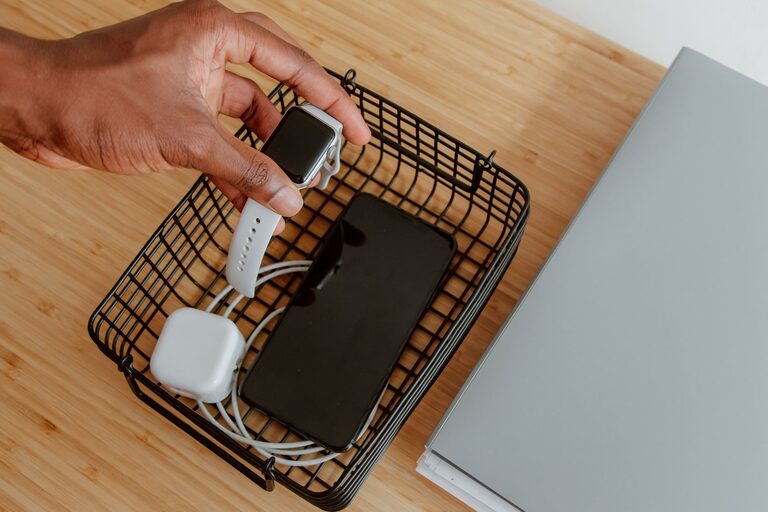
Setting up a dedicated charging station for your devices can simplify your daily routine and reduce clutter. Whether you want to organize your smartphone, tablet, smartwatch, or other gadgets, a well-planned charging station keeps everything in one place and fully powered.
In this guide, we’ll walk you through practical steps to create a personalized charging station that fits your needs and space.
Why Create a Charging Station?
Many households and workspaces have multiple devices that need charging throughout the day. Without a dedicated station, cables and chargers can get tangled, and it’s easy to forget where devices were left.
Benefits of having a charging station include:
– Centralized location to charge multiple devices
– Reduced cable clutter and tangled cords
– Safer setup with proper cable management
– Faster access to fully charged devices
– Customized to fit your specific gadgets and space
Step 1: Choose the Right Location
Start by selecting a convenient spot for your charging station. Consider these factors:
– Accessibility: Pick a location where you spend most of your time, such as a desk, bedside table, or kitchen counter.
– Power source: Ensure the area has easy access to electrical outlets.
– Surface space: Make sure there’s enough tabletop or shelf space to hold your devices and chargers comfortably.
– Safety: Avoid places with risk of water spills or excessive heat.
Step 2: Gather Your Charging Equipment
Identify all the devices you regularly charge and collect their charging cables and adapters. Common devices include:
– Smartphones
– Tablets and e-readers
– Smartwatches and fitness trackers
– Wireless earbuds or headphones
– Portable speakers
– Cameras or small electronics
You’ll also need power sources such as:
– Wall chargers and power adapters
– USB charging hubs or power strips with USB ports
– Wireless charging pads (if compatible)
Step 3: Select a Charging Station Organizer
To keep things tidy, choose an organizer that fits your style and space. Options range from DIY solutions to commercial products:
– Charging docks and stands: Designed for specific devices or multiple gadgets with slots for cables.
– Cable organizers: Clips or sleeves to prevent cords from tangling.
– Drawer or tray organizers: For storing chargers when not in use.
– DIY options: Use a wooden box, repurposed drawer, or even a decorative basket.
Consider features like ventilation, material, size, and the number of device slots.
Step 4: Manage Your Cables
Proper cable management is key to a neat charging station.
Tips for cable management:
– Label cables to quickly identify each one.
– Use cable ties or Velcro straps to bundle excess lengths.
– Employ cable clips or adhesive holders to guide cables along surfaces.
– Opt for shorter cables to reduce slack and clutter.
– Keep cables separated to avoid tangling and potential damage.
Step 5: Set Up Power Safely
Plug your chargers into a power strip or USB hub with surge protection to safeguard devices from power surges. Avoid overloading outlets and arrange cables to prevent tripping hazards.
If using a power strip, place it in an accessible yet discreet spot behind or under the charging station organizer.
Step 6: Arrange Your Devices
Once cables and power are set up, arrange your devices within the charging station.
– Place the most frequently used devices in easy reach.
– Position wireless chargers where devices can lie flat without obstruction.
– Ensure all devices can charge comfortably without blocking each other.
– Keep the area clean by wiping surfaces regularly.
Optional: Add Extras for Convenience
To enhance your charging station, consider adding:
– LED lights for better visibility in low light.
– Labels or markers for each device’s spot.
– Storage compartments for accessories like earphones or adapters.
– A small clock or calendar for multitasking.
– Decorative elements that match your room’s style.
Maintenance Tips
To keep your charging station efficient over time:
– Regularly check cables and chargers for wear or damage.
– Clean the station to avoid dust buildup.
– Update or replace charging equipment as needed.
– Adjust the layout when adding or removing devices.
Conclusion
Creating a charging station is a simple yet effective way to organize your electronic devices and keep them ready to use. By choosing a suitable location, gathering your equipment, managing cables, and arranging everything thoughtfully, you can transform a cluttered area into a streamlined tech hub. Enjoy the convenience and peace of mind that comes with a well-organized charging station!